Getting productive with Scrivener and Zotero (and Alfred and ZotHero)
Written July 2021
Scrivener is a writing app that has become popular with fiction and non-fiction writers alike. I’ve heard from academic writers that its lack of a built-in citation system, the kind available in Microsoft Word, puts some people off. With your favourite reference manager (Mendeley, EndNote, BibDesk or Zotero) and Word, you can look up the source you want and drop it into your document. That isn’t so easy with my two tools of choice, Scrivener and Zotero. This is how I solved it.
The old way to cite in Scrivener was to add a footnote and type the reference by hand, or open Zotero, find the reference, copy it (I can never remember the shortcut) and paste it into Scrivener. With Alfred for Mac and an excellent workflow by Alfred user Deanishe, that’s down to a few keystrokes. You’ll need the Alfred Powerpack, which is paid but well worth it, and which opens up a wealth of workflows that other users have made.
With the ZotHero workflow installed, you can (from the workflow’s page):
- search the full text of your Zotero database, or only specific fields
- copy citations in any CSL style you have installed in Zotero
- copy citations in note style or bibliography style
- copy citations in any locale CSL supports
- paste the right format automatically, as citations are copied in several formats at once
- trigger a search as you type with a snippet keyword (you set the keyword yourself in Alfred’s preferences)
Here it is at work in Scrivener:
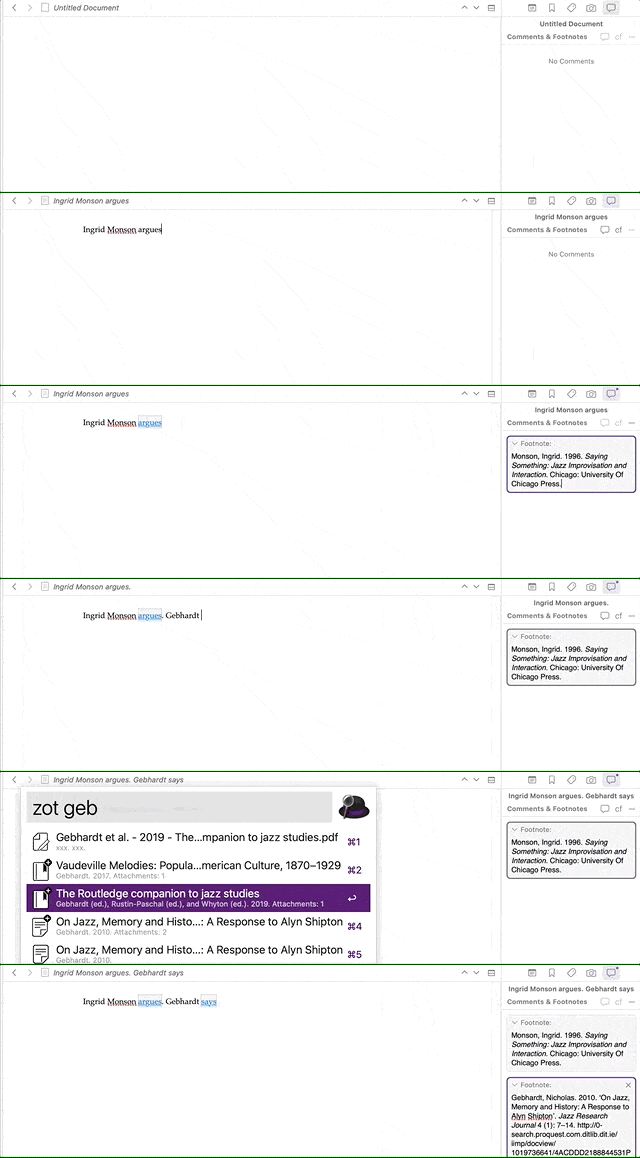
I open Alfred with a hotkey (alt-space for me), type “zot” and then a search term. It can search all fields or specific ones. From the matches I can open the item in Zotero, copy the short citation, copy the bibliography entry, or open the attachment. I can switch to any citation style Zotero supports, including ones you make yourself.
Here I’m searching my library for an Ingrid Monson article and opening the PDF:
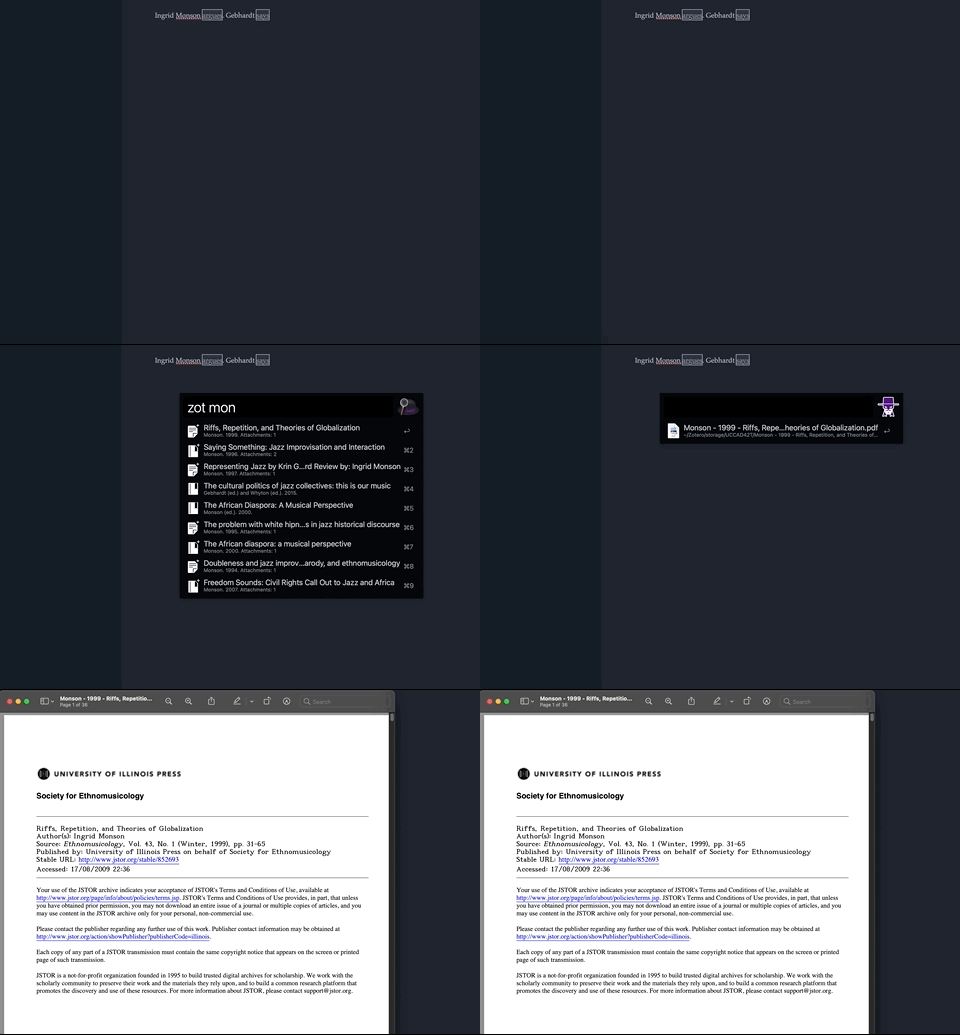
It’s very quick to find what you’re looking for, whether you want the attachment open in a hurry or just need to cite it. As long as the information in Zotero is right, the citation will be right too. It’s a real time saver.
The workflow exists because a few of us on the Alfred forums asked whether an old one could be fixed. Deanishe took a look, decided it was a mess, and wrote this one from scratch, even though he had no use for it himself. If you end up using it, go and buy him a coffee or two via his Alfred forum page.